Quick answer: Apple's Screen Time limits fail because "Ignore Limit" makes bypassing free — and anything free becomes automatic. A limit that works must price the bypass. FocusFirst replaces the Ignore button with a trade: blocked apps only open by spending screen time you earned through focus, so there's no free tap to build a habit around.
The Ignore Limit problem, stated plainly
Apple's App Limits are well-built technology attached to a self-defeating exit. When your 30 minutes of Instagram expire, the block screen offers "One More Minute," "Remind Me in 15 Minutes," and "Ignore Limit For Today." Day one, you respect the wall. Day four, you tap through it with the same automaticity you're trying to cure. By week two the limit isn't a boundary — it's one extra tap in the opening animation.
This isn't a personal failing; it's operant conditioning working exactly as designed. A barrier that yields to a free tap trains the tap. You haven't been failing at Screen Time limits. Screen Time limits have been teaching you to ignore them.
What makes a limit un-ignorable
Three design properties, none of which Apple's limits have:
- No free exit. Any bypass must cost something real. Cost creates a decision; decisions interrupt autopilot.
- A currency you care about. The best cost isn't pain (passwords you'll memorize, friction you'll habituate to) — it's spending a balance you worked to build.
- A legitimate way through. Total lockouts get deleted in week two. A limit that can be honestly paid stays installed, because it never forces the choice between the system and your sanity.
The earned-time limit, in practice
FocusFirst is built on those three properties, using Apple's own Screen Time framework for the enforcement:
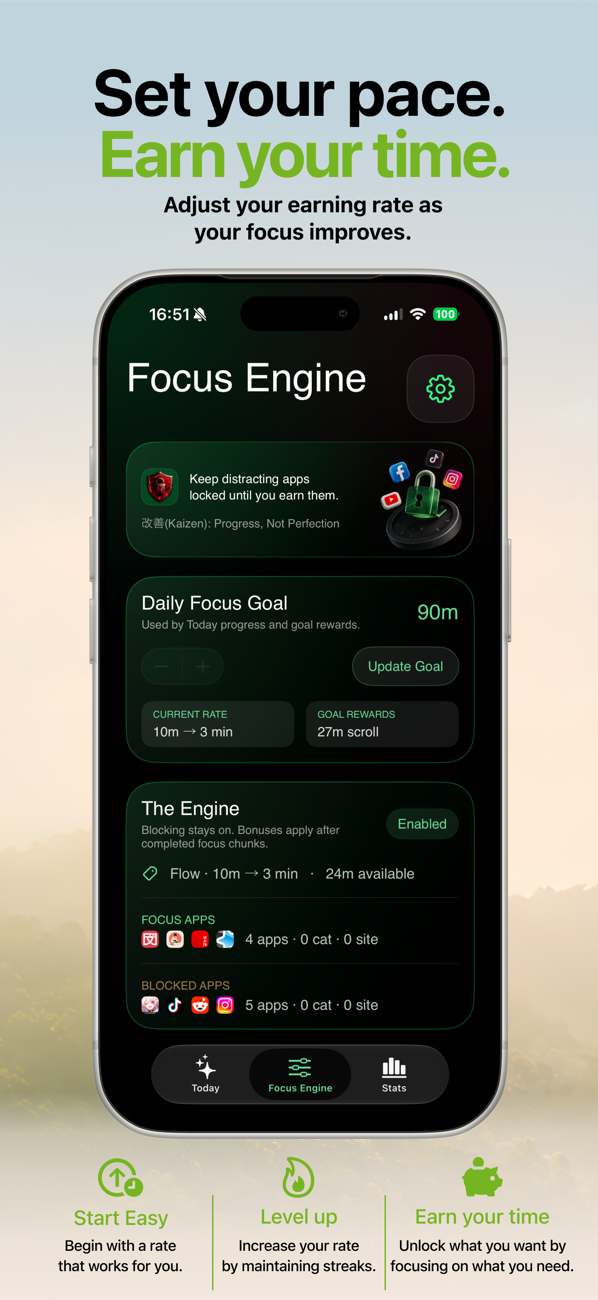
- Your distracting apps sit behind a shield — permanently, not on a schedule. The Engine stays on.
- Focus earns the currency. Time in your chosen productive apps (or focus timer sessions) converts to scroll time at your rate — 10 minutes focused earning 3 of scroll, tighter or looser as you choose.
- The block screen makes an offer, not a threat: "You've earned 43m. Spend 5m to unlock now?" — Use 5m or Not now. Both buttons are honest. Neither is free.
Notice what's missing: an argument. The shield never tells you you've had enough or shows you a guilt statistic. It just states the price. That's why it doesn't wear out the way willpower-based limits do — there's nothing to rebel against. Some days you pay and scroll, guilt-free. Most reflexive opens, though, simply evaporate at the question — because there was never an intention behind them, just a thumb.
Setting up limits you'll still respect in month three
- Shield the top three time-sinks only. Blanket blocking creates blanket resentment.
- Start with a generous rate and tighten it as your focus grows — FocusFirst's rate dial exists precisely so the system can evolve with you.
- Use the daily goal bonus as your planned, earned evening scroll — a limit with a built-in payday is a limit you defend instead of dodge.
- Check the weekly Progress view, not the daily one. Trends forgive bad days; daily numbers weaponize them.
Try it: FocusFirst requires a subscription or one-time Lifetime purchase — block your distracting apps, set your earning rate, and start your first focus session today. Get FocusFirst for iPhone →