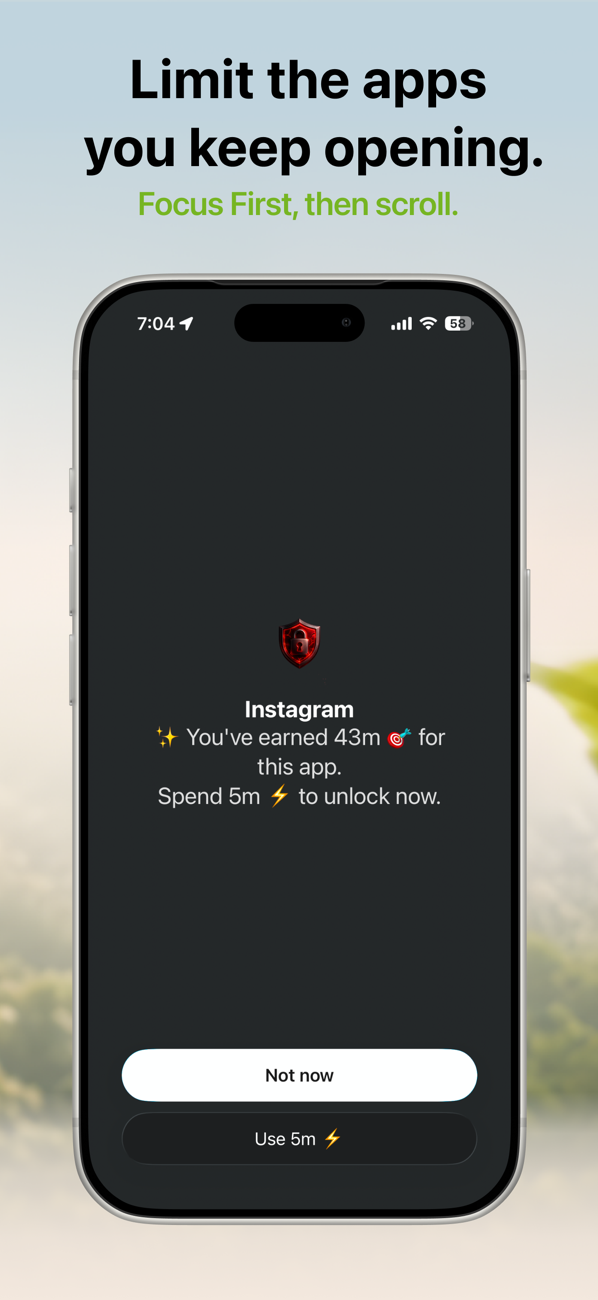
Quick answer: Block Instagram on iPhone with Settings → Screen Time → App Limits → Instagram for a soft limit, or shield it with FocusFirst for a block with no "Ignore" button — Instagram stays installed but only opens when you spend screen time you've earned by focusing. Perfect for temporary blocks during exams or deadlines.
First, decide what "blocked" means for you
- A soft daily cap — you mostly trust yourself, you just want a fence.
- A temporary hard block — exam month, launch week, a breakup, a reset.
- A permanent renegotiation — Instagram becomes something you visit on purpose, a few times a week, not forty times a day.
Different jobs, different tools.
For a soft cap: Apple's App Limit
Settings → Screen Time → App Limits → Add Limit → Social → Instagram. Choose an honest number. This works for genuinely light users — but if you're reading a guide about blocking Instagram, the Ignore Limit button has probably already beaten you a few times. That's normal; it's a button designed to be tapped.
For a temporary hard block: shield it for the season
The deleting-and-reinstalling cycle (delete Sunday night, reinstall Thursday, tell no one) fails because it's all-or-nothing. A shield is better for exam season or deadline sprints:
- In FocusFirst, add Instagram to your blocked apps. Your account, DMs, and photos are untouched — the app just won't open on a reflex tap.
- Set your focus apps to whatever the season demands: study apps, reading, work tools.
- Keep the rate strict while the stakes are high — say 10 minutes of focus per 2–3 minutes of Instagram — and relax it when exams end. You control the dial.
Because you can still earn your way in, there's no forbidden-fruit effect. Instagram isn't banned; it's just not free. Checking your DMs after a solid study block is a reward. Checking them instead of studying costs you visibly.
For the long game: make Instagram a destination again
The reflex-check — open, scroll eight seconds, close, repeat — is where most Instagram hours actually go. The earned-time shield kills the reflex specifically: a reflex can't decide to spend 5 minutes from a balance. What survives is intentional use — posting, messaging friends, the occasional deliberate catch-up — which is the part of Instagram you probably never wanted to lose.
Two honest warnings
- Safari is a back door. instagram.com works in a browser. FocusFirst can shield websites too — add it if you catch yourself migrating.
- Don't over-tighten. A rate so strict you never earn any time doesn't make you virtuous; it makes you delete the blocker in week two. Sustainable beats severe.
Try it: FocusFirst requires a subscription or one-time Lifetime purchase — block your distracting apps, set your earning rate, and start your first focus session today. Get FocusFirst for iPhone →